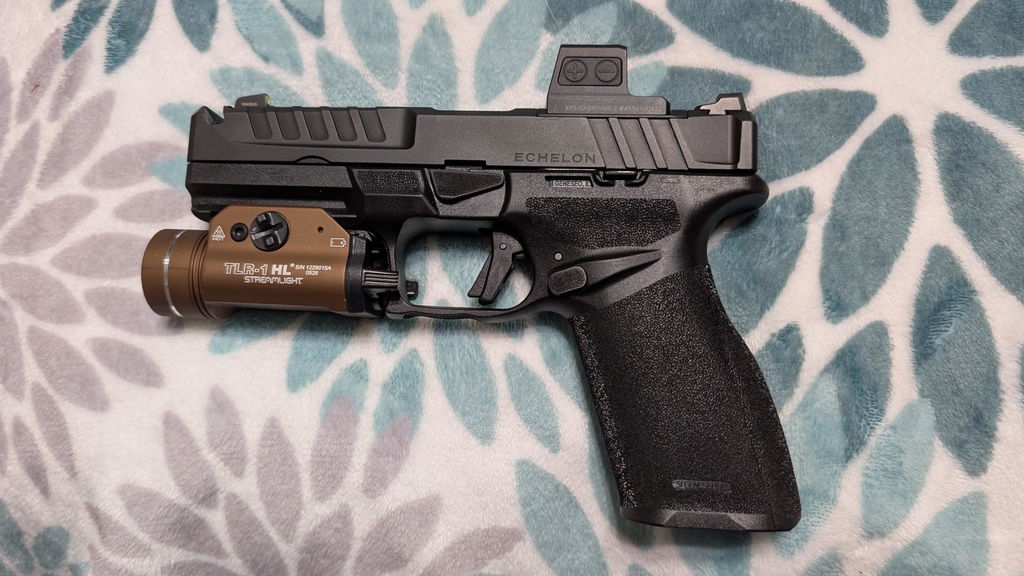
Hey Freedom Gorillas, today we want to take a look at the Holosun DRS-TH, or Holosun Digital Reflex Sight - Thermal. This thermal sight is designed for rifles and allows you to have a red dot and thermal sight without swapping optics since it uses an optional thermal overlay and a red MRS reticle.
But is this thermal for you? We break it down for you, from the main specifications to what people have been saying, good and bad. So, let’s get into it.

TLDR
The Holosun DRS-TH is a thermal optic that can switch between a non thermal with red MRS reticle or a thermal overlay that can use the red dot or the internal thermal reticle.
It features a digital zoom (1x, 3x, and 5x), internal video recording and photos with 32 GB of storage, 12 brightness settings (8 DL and 4 NV), 10 hours of battery life with the thermal overlay (50k hours with just red reticle), 4 thermal modes (white hot, black hot, outline, and highlight), and a durable design that can withstand temperatures between -20°C to 51°C and up to 1000G of vibration with a IP67 waterproof rating.
Many users have reported enjoying the option to have the thermal overlay in addition to the red reticle. Other pros include its affordability compared to other thermal optics, its user-friendly interface, and the storage available for video recording.
On the other hand, many have also mentioned that the resolution isn’t as sharp as other thermal optics and it can be difficult to distinguish objects and targets from far away even with a 5x zoom. Other issues include latency, a narrow field of vision, and issues with the button pad in the dark.
|
Starts at $1,359.99 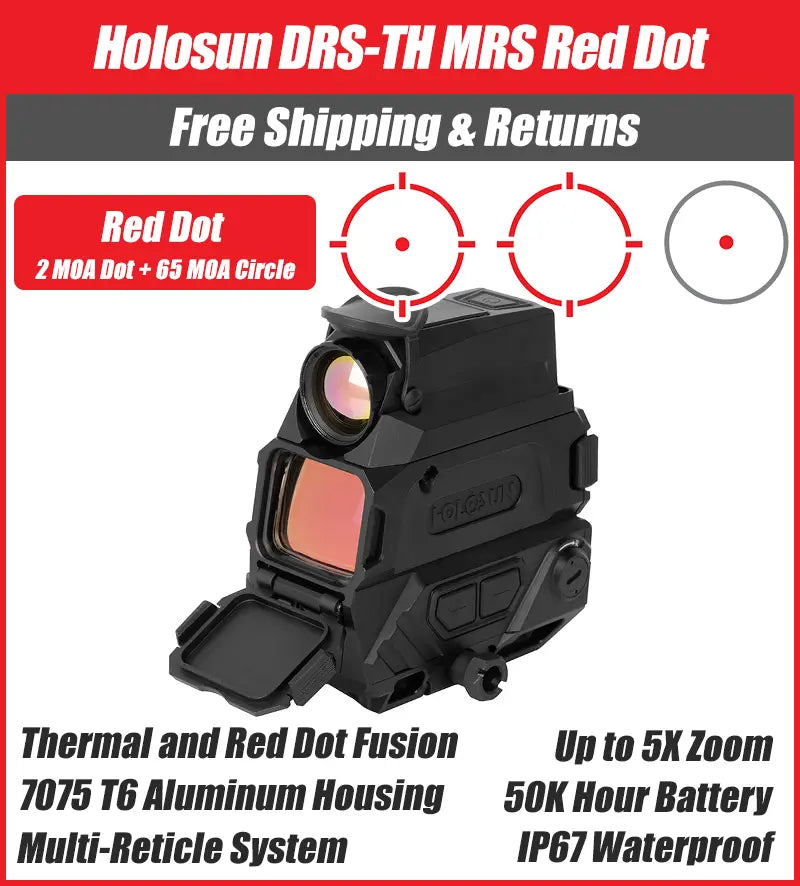
|
Holosun DRS-TH Technical Specifications
Below is the comprehensive technical data for the Holosun DRS-TH unit:
| Reticle System | MRS (2 MOA Dot / 65 MOA Circle) |
| Thermal Resolution | 256 x 192 sensor / 1024x768 OLED Display |
| Refresh Rate | 50 FPS |
| Magnification | 1x Optical / Digital Zoom: 1x, 3x, 5x |
| Battery Life | 10 Hours (Thermal) / 50k Hours (Red Dot) |
| Battery Type | 18350 (USB Rechargeable) |
| Housing Material | 7075 T6 Aluminum (Anodized) |
| Waterproof Rating | IP67 |
| Dimensions (L x W x H) | 3.7” x 2.2” x 3.5” |
| Weight | 18.5 oz |
Reticle System

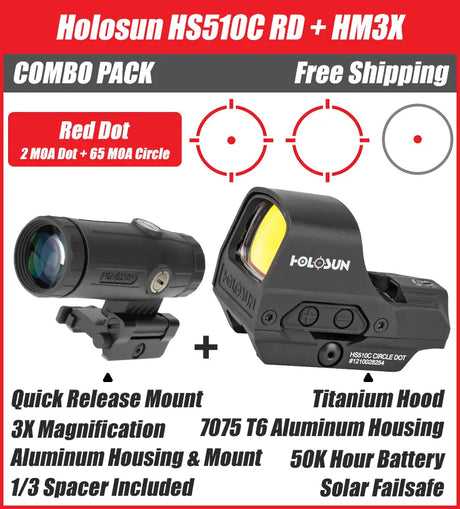
The reticle of the Holosun DRS-TH features a red reticle with a 2 MOA Dot and 65 MOA Circle and MRS (multi reticle system). You can switch between only the 2 MOA Dot, only the 65 MOA Circle, or both dot and circle.
This reticle system operates with a thermal overlay which can be activated by flipping the thermal cap over the optic. There are also thermal reticles that you can toggle between by holding down the “-” button, the same as how you can change the red dot reticle.
The sight is also parallax-free, allowing you to stay on target regardless of where eye is behind the optic, and unlimited eye relief so your eye can be at any distance from the optic and the reticle will still be visible.
Battery and Battery Life
The Holosun DRS-TH uses 2 18350 batteries which are easily accessed from a side panel and can be replaced when still mounted on your rifle, making it convenient for thermal scope users. This optic also comes with a USB cable so that you can charge it while not in use.
With the thermal overlay the battery life for this optic can last up to 10 hours, but if you are just using the red dot optic, the power drain is more limited and the battery can last up to 50k hours.
Brightness Levels
For brightness levels, the red dot optic features 12 (8 daylight and 4 night vision) and the thermal features 6 brightness settings 12. These can easily be altered by the buttons on the back of the optic. This doesn’t include the thermal modes or digital zoom which we will discuss next.
Thermal Modes

Without the thermal mode, the Holosun DRS-TH acts like any high-quality red dot optic MRS. You can switch between non thermal and thermal by flipping down the front lens cap, and you can then turn off the red dot reticle pressing down both the “+” and “-” buttons. The red dot optic stays while in thermal mode, Thermal mode uses a green screen and also has its own optic options that can be toggled through. You can then switch between four different visual modes using the brightness button.
These modes are: White Hot, Black Hot, Outline, and Highlight. For the White Hot setting, objects that are higher temperatures will appear in lighter colors (white) while cooler objects will appear darker (black to dark grey) in the thermal image.
The Black Hot setting will do the inverse of White Hot where hotter objects will appear dark while cooler objects will appear white. For the Outline setting, hotter objects will appear with edges or outlines, improving visibility in the thermal scope. This only shows the boundaries of a hot object in the thermal image and doesn’t fill in the rest of the object.
Finally, for the Highlight setting, the optic will highlight or use color emphasis on the hottest areas that you are viewing. The setting you select can depend on your own visual preference, application, and ease on the eyes.
Digital Zoom
The Holosun DRS-TH also has a digital zoom of 1x, 3x, or 5x with a 1024x768 OLED screen. To zoom you’ll simply press the top left magnifying glass button and you can refresh the screen if there are latency issues by holding down that same button.

General Navigation
All settings are altered with the help of buttons that are placed above the optic lens on the rear of the unit. This makes it so that you can see the buttons and easily access them. These buttons are smaller, so they may be more difficult to press in colder or more inclement weather when you have gloves on or are in the dark.
There are five buttons on the back of the optic including an up, down, brightness, zoom, and OK button, all designed for the Holosun DRS. These buttons will access on-screen menus so that you can switch between the different reticles, change the brightness, alter the zoom, etc. Above these buttons is the power button which turns the optic on and off.
To simplify navigation, you can press or hold the buttons. Tapping or holding a button will do something different and holding “OK” will take you back a screen while in the settings menu.
New to thermal or want to get the most out of your optic? Our guide on mastering Holosun night vision and thermal breaks down everything you need to know to maximize performance in the field.
Internal Video Recording
Another feature of the DRS-TH is that you can take pictures and record videos. Tapping the top right button will take a picture while holding the same button down will start recording a video. Something to note is that although the screen is green in thermal mode, videos will come out black and white.
Videos and pictures can then be uploaded to a computer with the provided USB cable just in case you need to clear up storage, which is 32 GB.
Composition and Material
The housing of this optic is made of 7075-T6 aluminum with an anodized finish. It tapers toward the top making it present as a less bulky sight
Price
The Holosun DRS-TH is one of the more affordable thermal sights on the market.
How it Compares to the Holosun DRS-NV
The night vision counterpart to the DRS-TH is the DRS-NV which uses a night vision overlay instead of the thermal. It operates mostly the same way and has a similar structure and design, but the NV is designed to see more detail while the TH uses heat signatures to catch the outline of a target at a distance.
Battery Life
With the thermal overlay the DRS-TH can last up to 10 hours while the DRS-NV lasts up to 5 hours with the standard night vision mode.
Digital Zoom
The Holosun DRS-NV also has a digital zoom feature but with different options than the DRS-TH. It can zoom up to 8x and has a 2x and 4x zoom instead of the DRS-TH, which only goes up to 5x zoom and also only has a 3x zoom.
Detection
Users have reported that they enjoy that the DRS-TH can detect heat signatures during both daytime and night time and that it gives a clearer image and better detection in complete darkness.
Affordability
The DRS-NV is more affordable than the DRS-TH coming in at $1,176.46 on the Holosun website, or $849.99 on Freedom Gorilla.
Looking for thermal on a pistol instead? We've also covered the Holosun DPS-TH red dot and thermal fusion for pistols, which brings the same thermal overlay tech to your handgun.
|
Starts at $1,359.99
|
Starts at $849.99 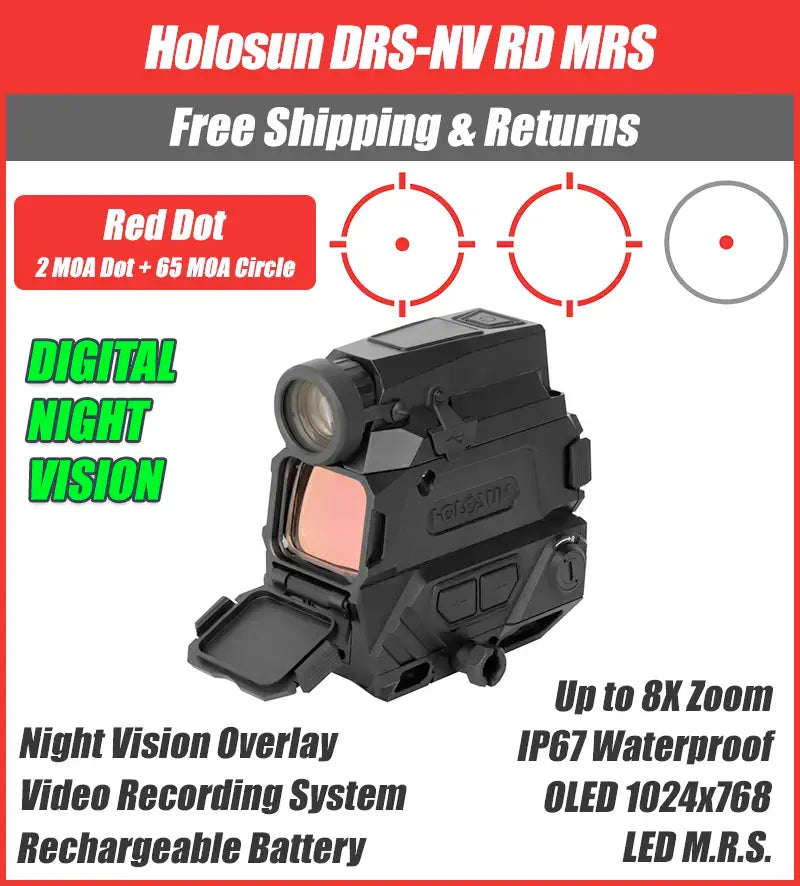
|
What People Are Saying
So how does it really stack up? Here’s what people have been saying about the Holosun DRS-TH:
Pros
- User friendly
- Affordable for dedicated thermal optic
- Internal recording: some say hours of storage.
- Red dot with thermal
Cons
- Low resolution
- Detection range is limited
- Button pad is small
- There is significant latency
- Narrow field of view
Main Considerations
Here are some of the main items to consider when thinking about buying the Holosun DRS-TH:
Internal Recording
The ability to record and take pictures is a big pro for many users and they talk highly about the amount of storage, some say hours or possible video storage.
Red Dot with Thermal Overlay
Another big plus for many is the ability to use the red MRS reticle in addition to the thermal overlay provided by the Holosun DRS.
Low Sensor Resolution and Detection Range
Some complain that at longer distances it’s more difficult to assess targets, especially among bushes, trees, and other environmental factors in clutter. Compared to solely thermal sights like the Ricoh Alpha or the AGM Sting IR
At longer ranges, even with the 3x or 5x zoom, you can still see heat signatures, but you may not be able to detect what the object is.
Buttons
Since the keypad is small you need to remember which buttons are which and whether you have to press or hold them for the desired action. The buttons are also small, which makes it tough to navigate if you are wearing gloves.
Latency
There is a slight delay when objects are in motion, making it difficult to track.
Narrow Field of View
Some users have complained about a narrow field of view for the thermal overlay, especially when it comes to hunting and trying to follow fast moving targets.
Conclusion
Hopefully, you have found this overview of the Holosun DRS-TH helpful. If you are looking for a thermal optic, the DRS-TH is an affordable choice for those who want to have a red reticle in addition to a thermal overlay and like to record their hunts or target practice.
It doesn’t have the best resolution compared to more dedicated thermal sights, but is more affordable than those sights, has a user-friendly interface, and also has the benefit of a red reticle, which other thermal sights don’t have.
If you have any questions, please contact us and we would be happy to help.
Thanks for reading!
|
Starts at $1,359.99
|
Starts at $849.99
|